Sleeve

An audio tagger for the Mac that also converts, rips and burns CDs and splits long recordings.

Edit the tags of a whole album at once, look it up on MusicBrainz or Discogs, convert without losing a single tag, rip CDs in secure mode, burn and copy discs, and cut an album video or a vinyl side into tracks. Free, open source, no account, no tracking.

macOS 14 Sonoma or later · Apple Silicon · GPLv3

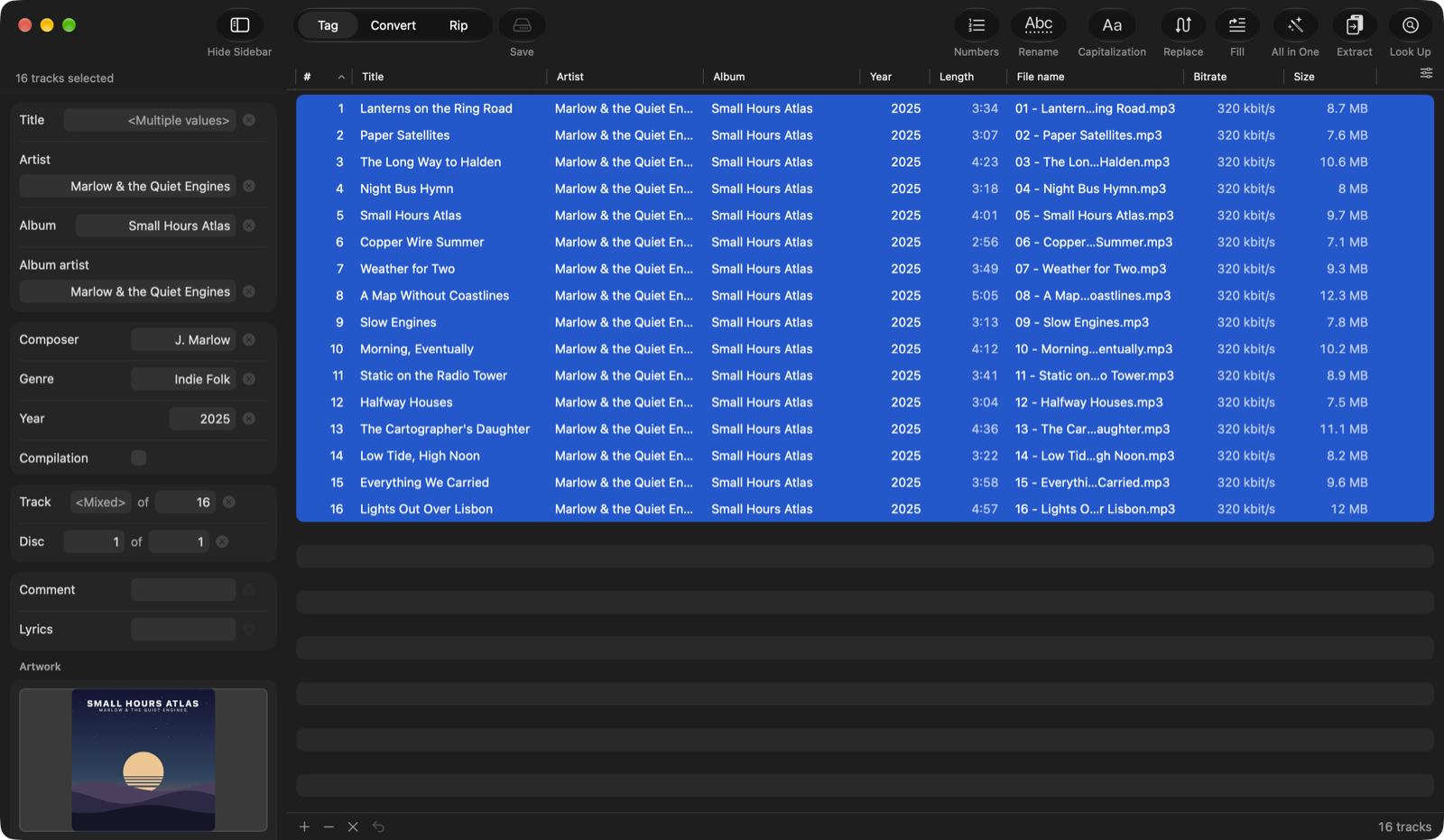
Sleeve in Tag mode: sixteen tracks of an album selected, the inspector with the shared tags and the front cover

One track list, four jobs

Tag, Convert and Rip share the same list of files — rip a CD, tag what came out, convert it, without importing anything twice. Splitting long recordings has a window of its own.

Tag

One track or a whole album: fields that differ show <Multiple values>. Numbering, capitalization, find and replace, filling a field from other tags or the file name, renaming and reading tags out of file names — every batch step with a preview. Look Up Album fetches tags and cover from MusicBrainz or Discogs.
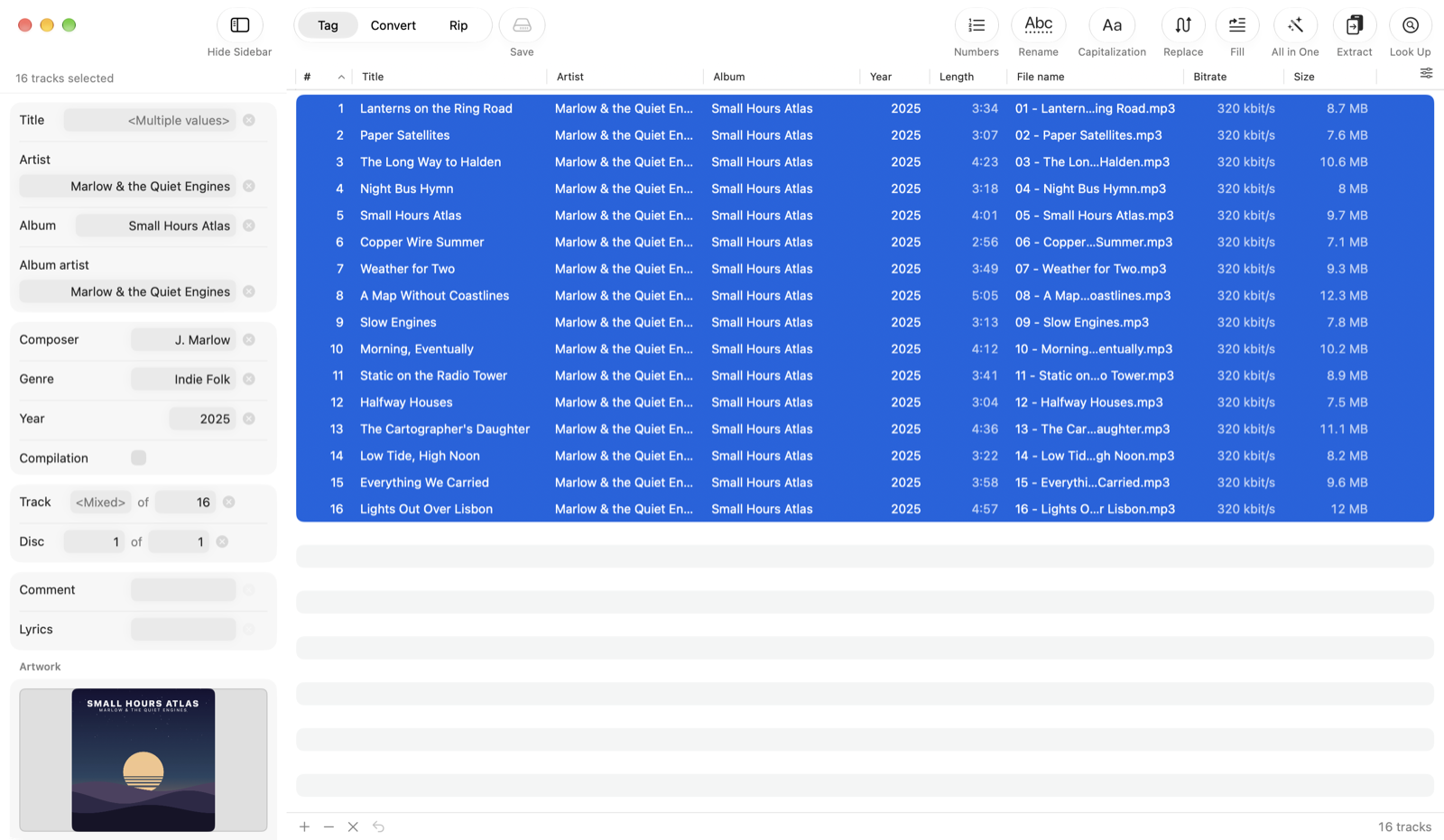
Sixteen tracks selected, the inspector showing the shared tags and the cover

Convert

MP3, AAC, ALAC, FLAC, Opus, Vorbis, WAV and AIFF with ffmpeg. Sleeve reads the tags first and writes them back itself, cover included — the album artist and the disc number survive the trip, which generic converters tend to lose.
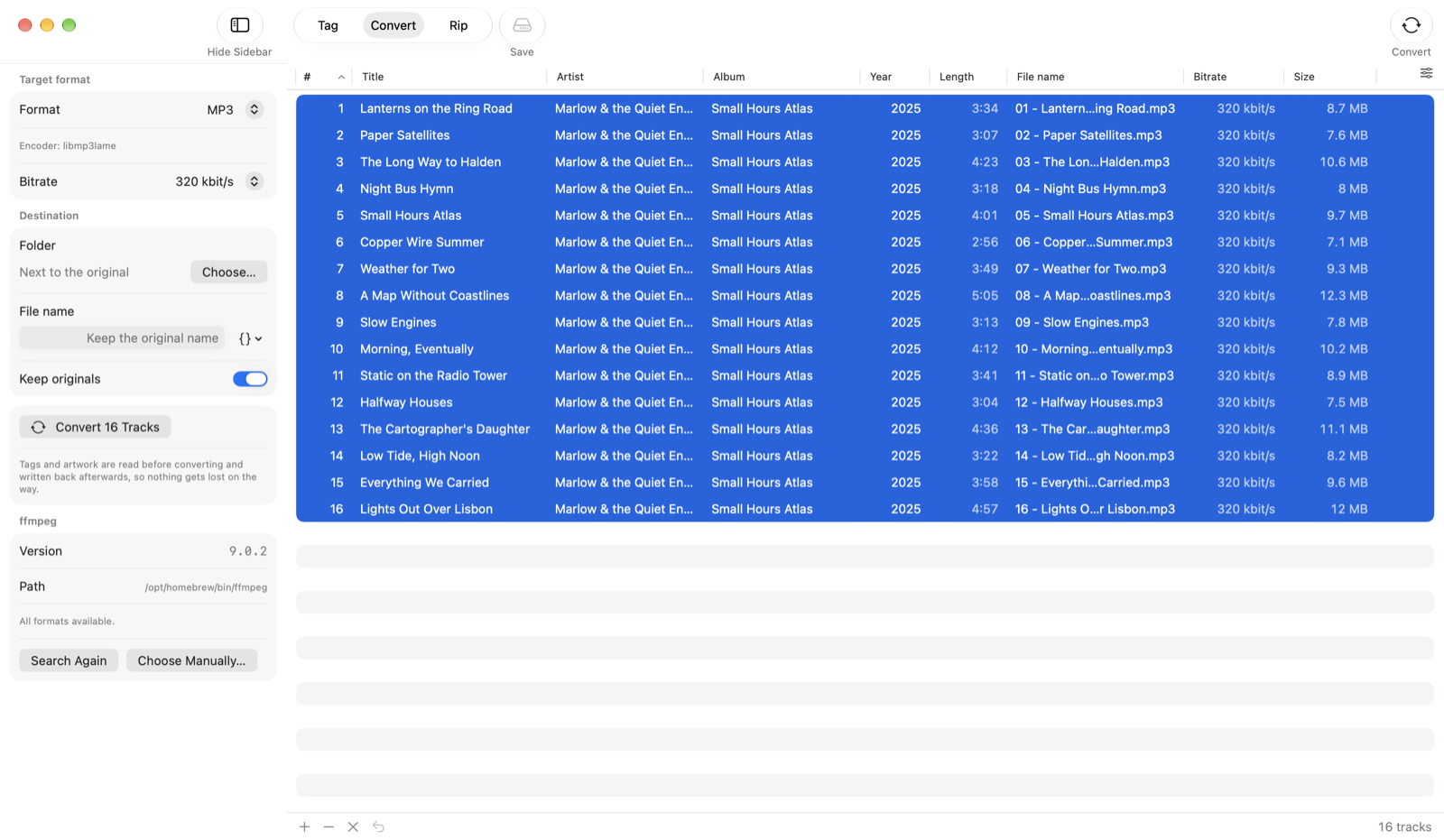
Convert mode with MP3 at 320 kbit/s chosen for sixteen tracks

Rip, image, burn, copy

Reads audio CDs directly: burst or secure mode, read offset, C2 error pointers, an optional second pass and a log. CD-TEXT, ISRC and the MusicBrainz disc ID fill in the tags. The File menu adds a gapless image of the whole disc, burning it back, and a one-button 1:1 copy.
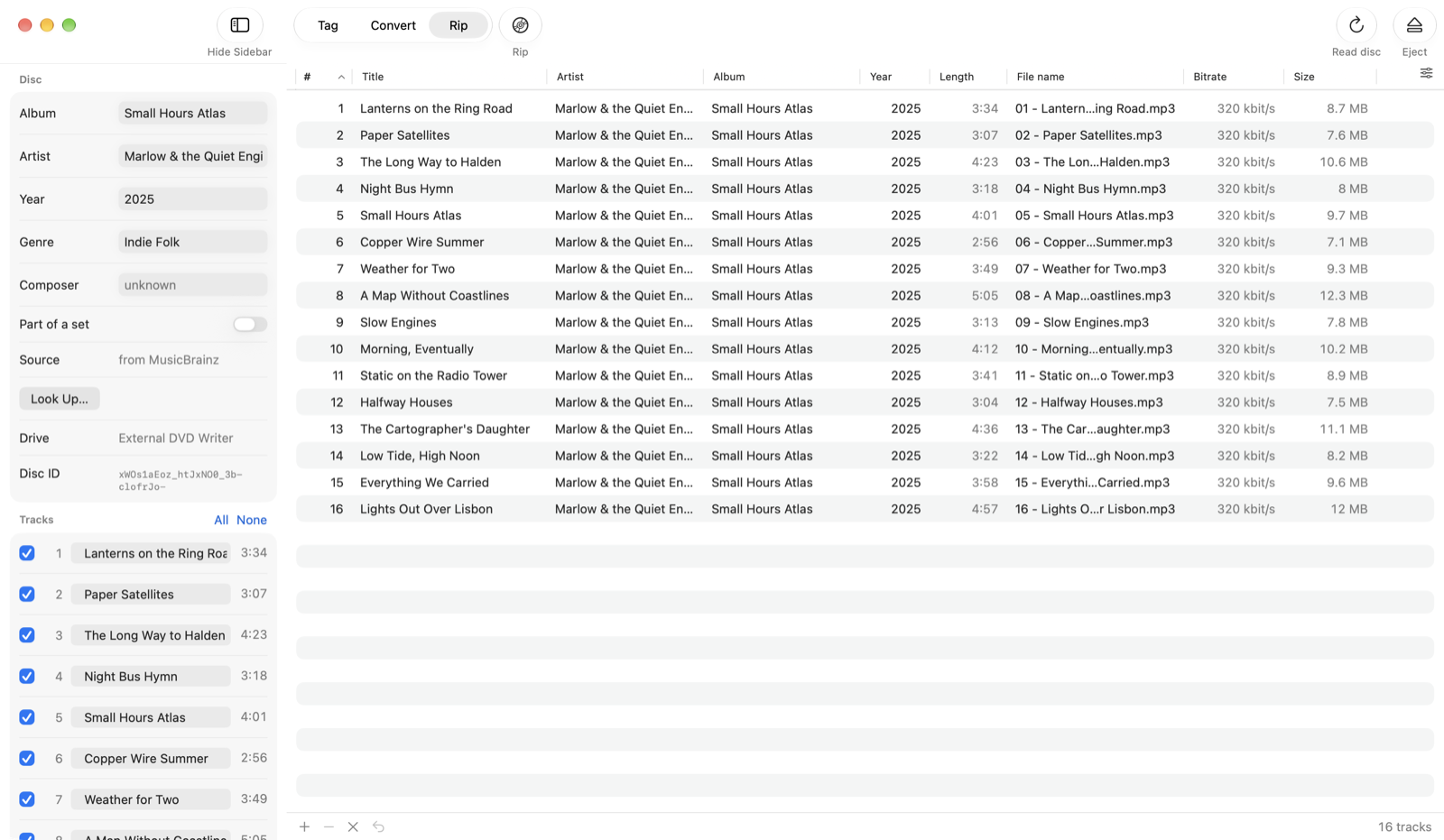
Rip mode with the disc's album, artist and track list in the sidebar

Split into tracks

An album video, a vinyl side or a live set, cut into tracks without re-encoding. Silence detection finds the boundaries, two magnifiers set them exactly, and the titles come from MusicBrainz, Discogs or a track list pasted from the video description.
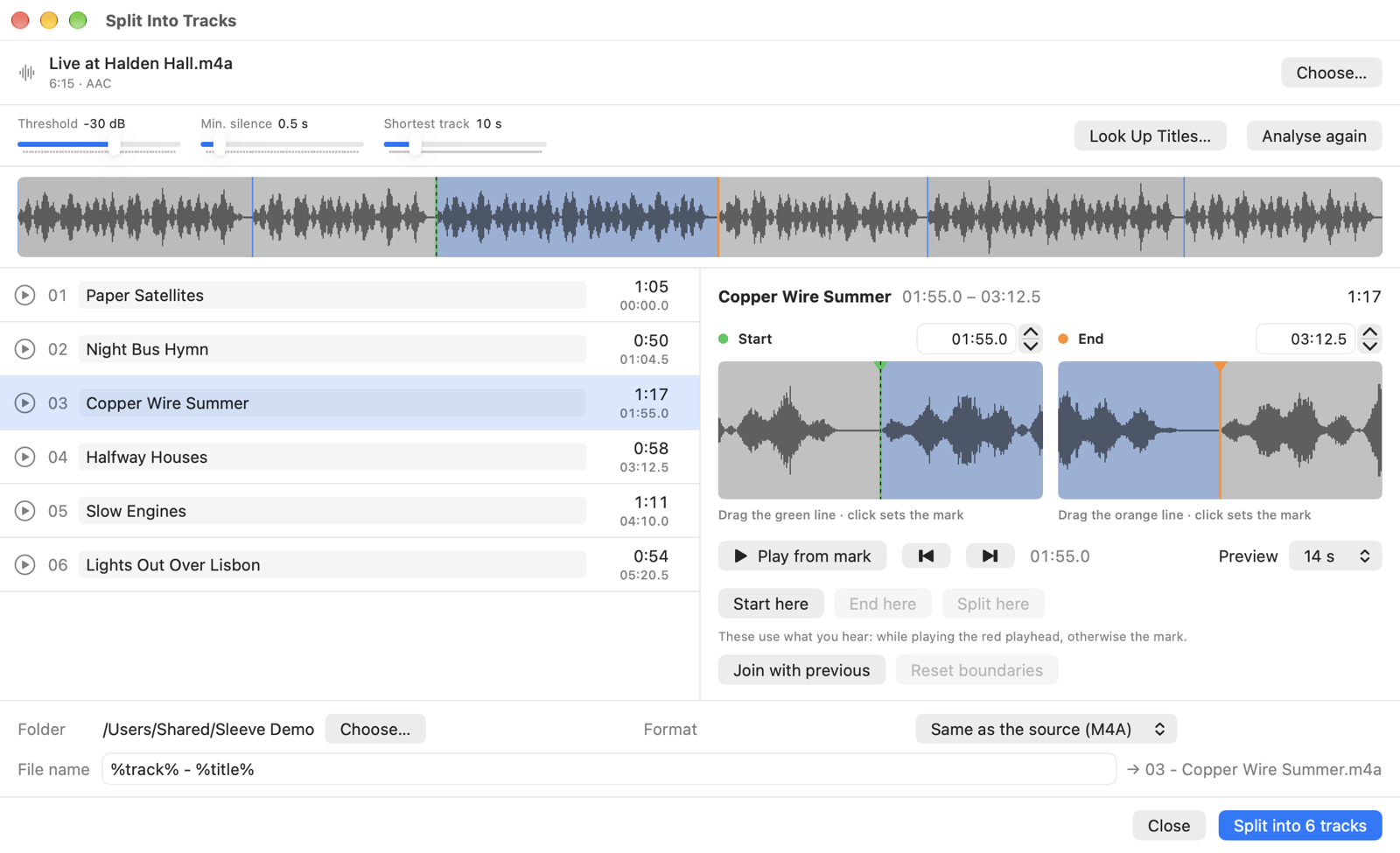
The Track Splitter: waveform, six tracks with titles, and the start and end of the third one magnified

A field is only written if you touched it. Select twelve tracks, change the album, and every other field stays exactly as it was — an empty-looking field is never written as empty by accident. Nothing reaches your files until you save, and the last save can be undone.
Good to know

A few practical details before you download.

Three languages

English, German and Spanish, picked from your system language. Light and dark follow the system too.

ffmpeg stays external

Tagging and ripping to WAV need nothing extra. Converting, other rip formats and splitting use ffmpeg from Homebrew — Sleeve finds it, never bundles it.

MusicBrainz and Discogs

MusicBrainz works without an account. For Discogs you add your own token, which is kept in the keychain.

Every common format

MP3, AAC, ALAC, FLAC, Ogg Vorbis, Opus, WAV and AIFF, read and written with TagLib.

Checked on real discs

A burned image and a copied CD both read back byte for byte identical to their source. Copy-protected discs are refused, not worked around.

No account, no tracking

Everything runs on your Mac. The network is only used when you look something up.

Free, and staying that way

Sleeve is free software under the GNU GPL v3. If it saved you some hassle, you can leave a tip.

Buy me a coffee